
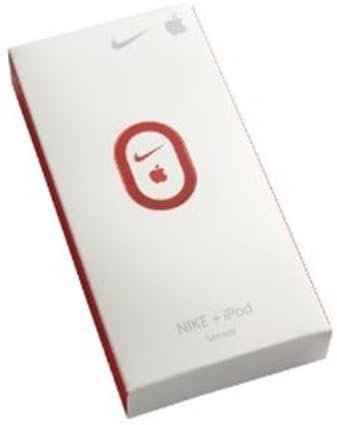
Nike+ Stand Alone Sensor Kit
$11.95
Related Products
Pick your mix and motivate your run. Nike+ lets you listen to tunes while you track your progress on an iPod nano. Simply slip the Nike+ sensor into any Nike+ Ready shoe, and head out. The Nike+ sensor slips unobtrusively into a pocket under the sockliner.
Compatible with Mac OS X v10.3.9 or later, Windows Vista, or Windows XP (SP2) Home or Professional. Not compatible with iphone 6 and 6 plus. Measures your pace, distance, time elapsed and calories burned.
Tap the gear-shaped Settings icon on your mobile device’s home screen. Scroll and select Nike + iPod. Toggle Nike + iPod to “ON”. Once activated, you will see the Nike + iPod icon on your iPhone or iPod touch home screen display. Note: The Nike+ iPod icon is similar but slightly different from the Nike+ Running App icon.
Customize your Nike + iPod settings by clicking your mobile device’s Settings icon and choosing Nike + iPod. Activate your Nike+ Running Sensor by linking it to your iPhone or iPod touch. Once the Sensor is linked, you are ready to run with Nike + iPod.
Note: Nike + iPod is pre-installed on iPhone 3GS, 4, 4S, 5, and 5S and on the iPod touch generation 2 and newer. It is not available on iPhone 6 and newer and is not supported by devices using iOS 9.0 and higher… If you can’t link your Nike+ Running Sensor with your Nike+ device, here are some recommended troubleshooting steps: Make sure your Nike+ Running Sensor is in a ready state. Flip the sensor over and give the white button on the back a series of quick presses, using the tip of a pen or pencil if necessary. Note: Quickly press the button to wake your sensor, pressing and holding down the button will put your sensor to sleep.
M. Evans –
Amandaconda –
Robert Oceans –
EGB –
Sometimes Magic –
Craig Barshinger –
scmom08 –
Peak Bagger –